Context Compression Dispatch: Tool Output Trimming and History Compression
IMPORTANTThis article focuses on compression dispatch — determining which context to pass to the LLM for compression. This is at the code design level, preceding the compression prompt phase.
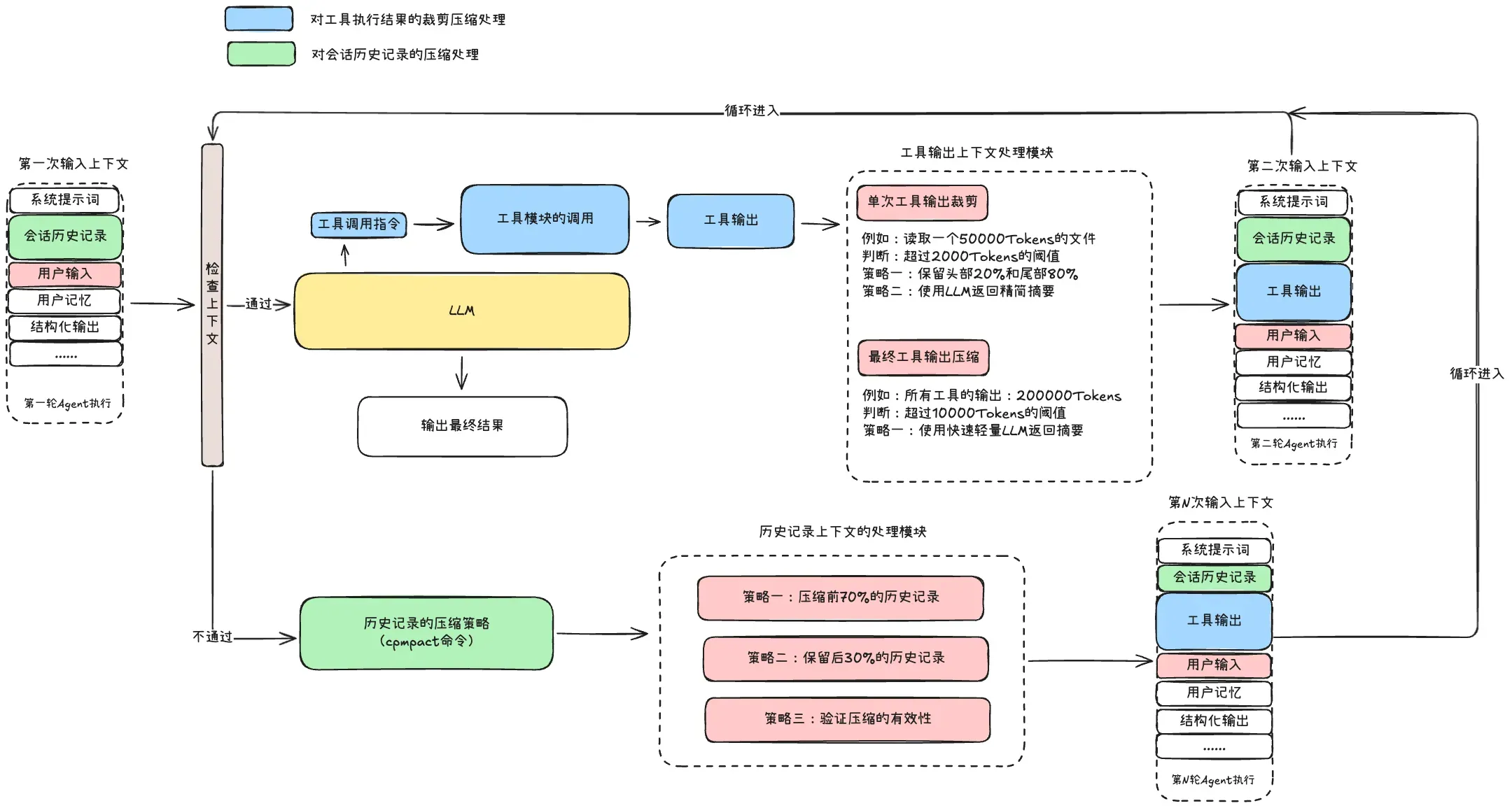
The current compression mechanism has two main strategies: tool output trimming/compression and session history compression.
NOTEThe context types primarily operated on:
- Tool input/output context
- Session history context
Before each context injection to the LLM, a check verifies whether the current context exceeds 90-95% of the LLM’s maximum context length. This splits into pre-check processing and post-check processing:
- Pre-check processing: Retain key parts of tool output, avoid redundancy:
- Limit maximum content size — e.g., read tool limits on max lines and characters
- Layered reading: When exceeding max lines, use layered strategy — read some from the beginning, middle, and end
- LLM summarization: When files exceed 2,000 characters, use LLM to summarize and return only the summary
- Progressive reading: Following Skill design principles — “coarse” read first, then “fine” read
- Post-check processing: When the Agent has been looping and tool outputs are already “healthy” but context still fails the check, consider compressing session history
1. Pre-Processing — Tool Output Trimming and Compression
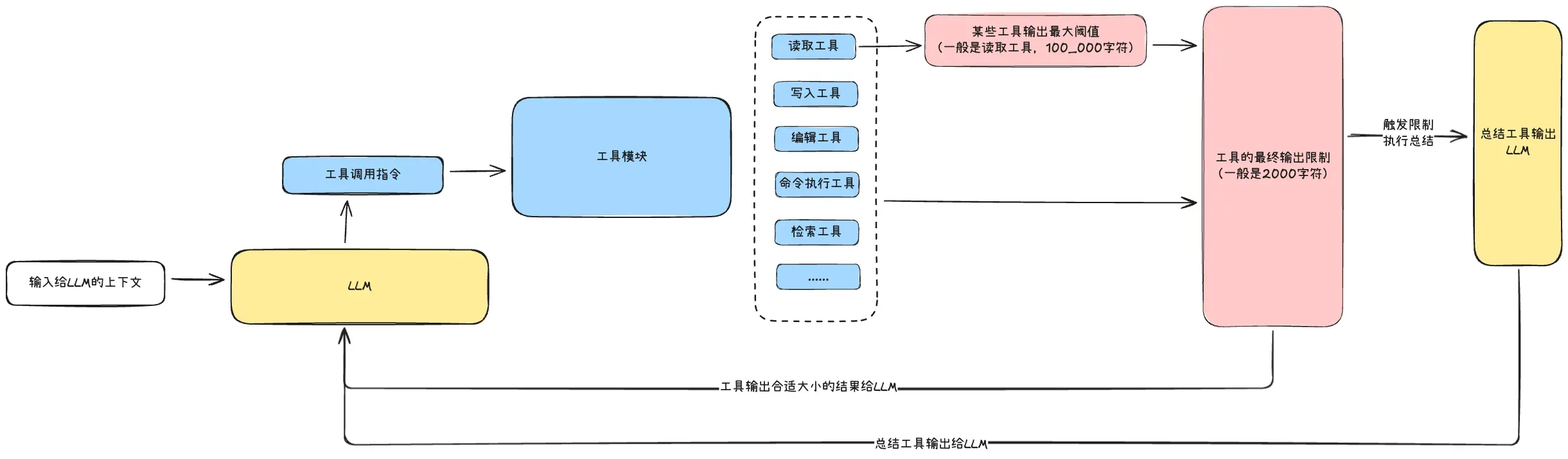
Tool output has two layers of judgment:
- First layer: Whether tool output exceeds 100,000 characters — if so, truncate
- Second layer: Each tool’s output should not exceed 2,000 characters — when exceeded, invoke LLM summarization
For the second layer, several approaches to consider:
- Output only the LLM summary
- Output the first 2,000 characters + LLM summary
- Skip LLM summarization entirely — truncate based on file type
2. Fallback — Session History Compression
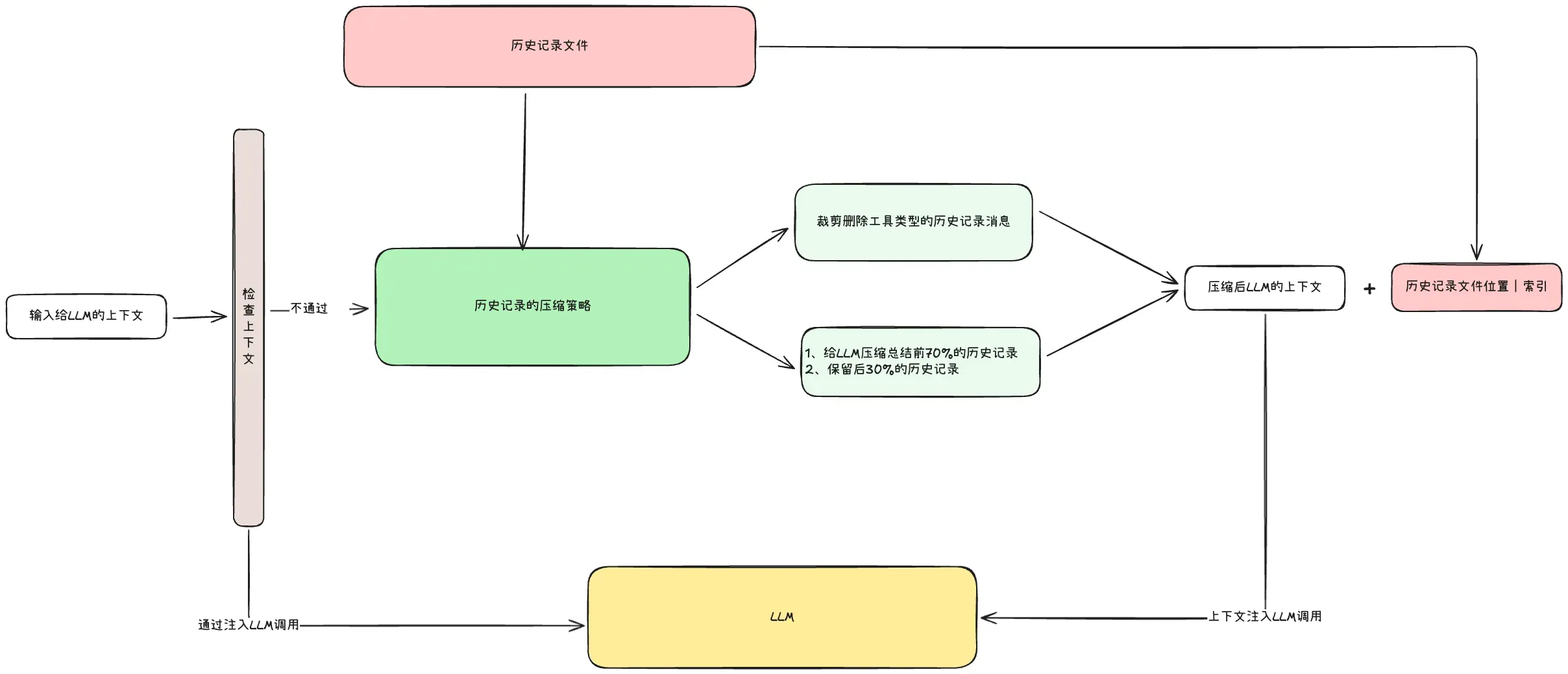
Two approaches for session history compression:
- LLM compression: Convenient and fast — the prompt is key
- Tool message trimming: In context, tool-type messages have the highest token proportion — prioritize trimming tool messages from the first 70% of history
TIPFollowing Cursor’s approach: when providing the summary to the Agent, also provide a history file location or index. If the Agent finds it needs more details not included in the summary, it can search history to retrieve that information.